
Vanemar Boat Monitor: Slick wireless monitoring, with a catch
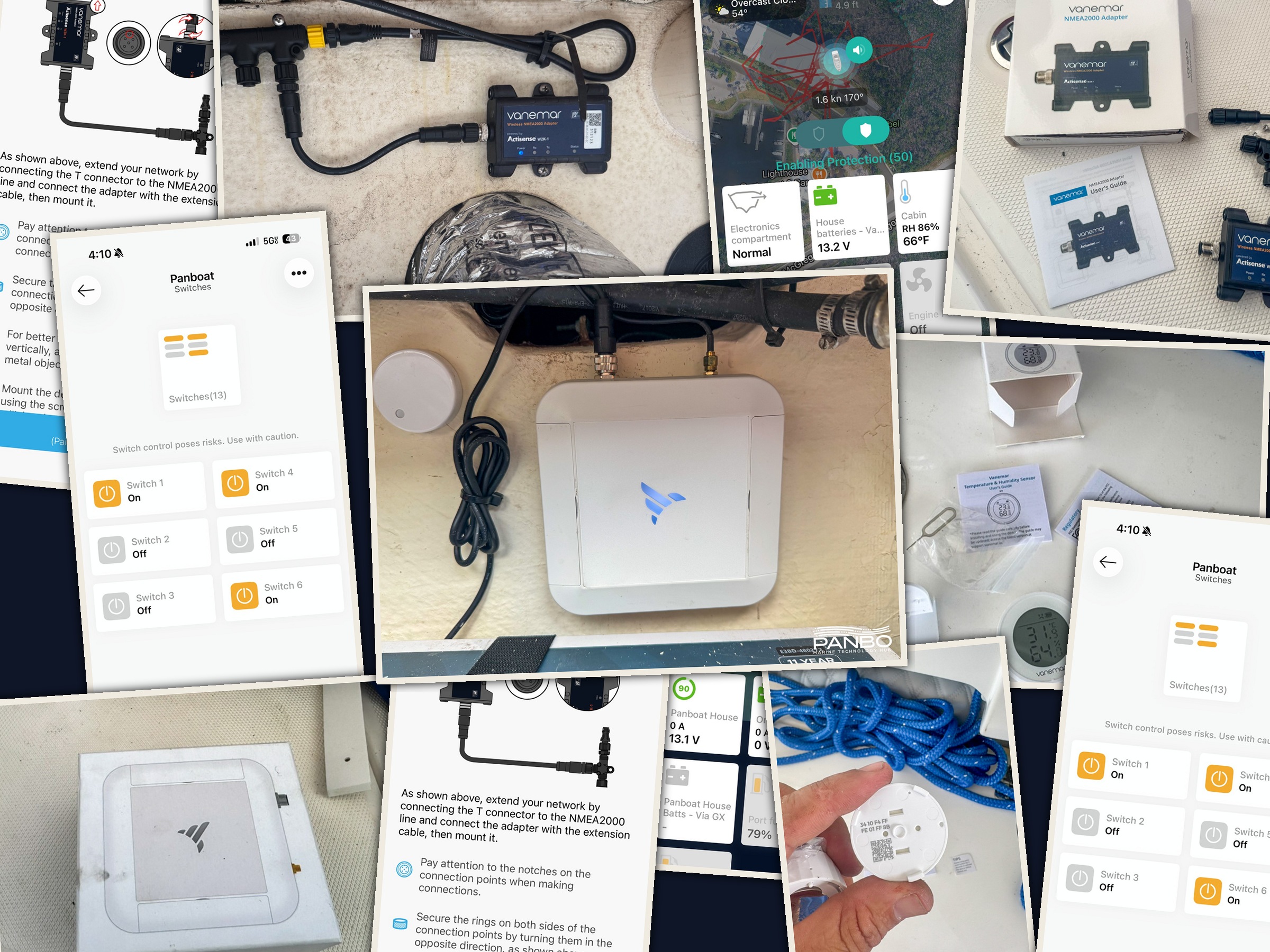
Vanemar’s monitoring system joins a rather crowded field of monitoring products with their own spin on how best to monitor your boat. With a strong reliance on wireless sensors, extensive NMEA 2000 integration, and an emphasis on user experience throughout the product, Vanemar makes their case for consideration when selecting a monitor. But, currently the lack of bilge pump monitoring holds me back from a full throated recommendation.
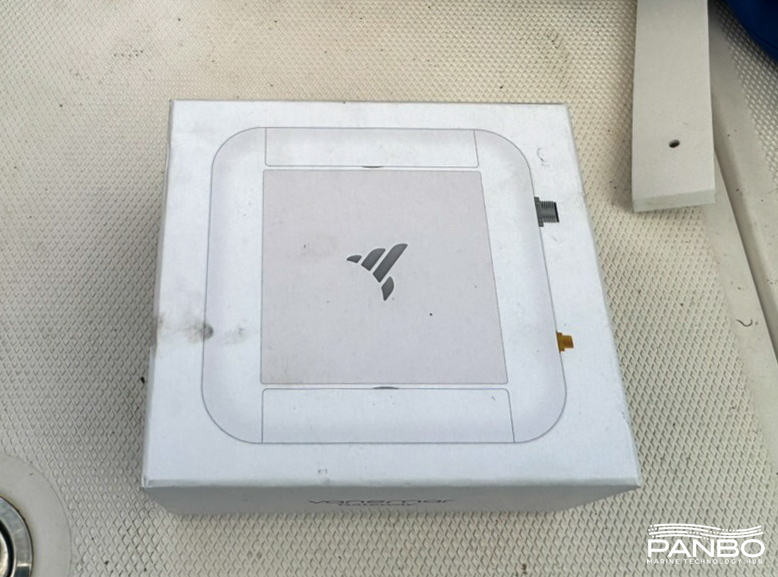
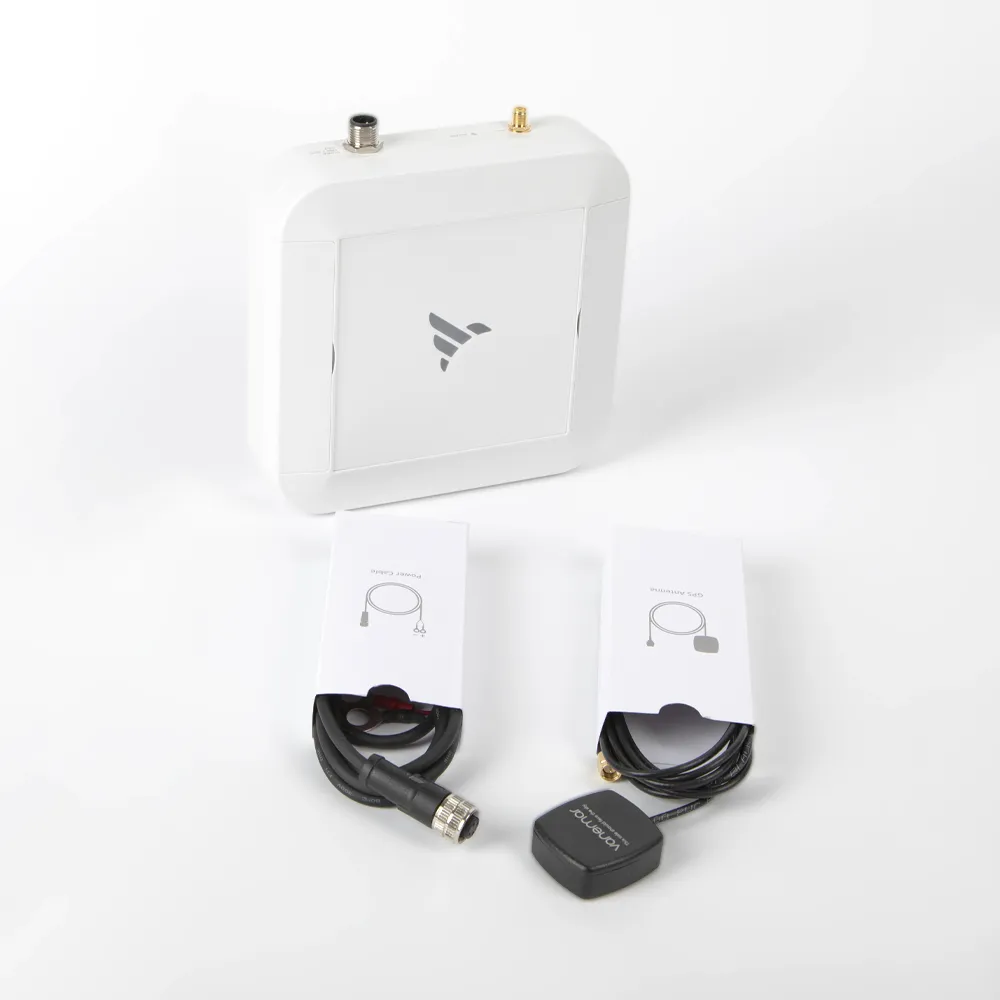
First, apologies to Vanemar’s elegant packaging for the scruffy handling I provided. I don’t remember rolling in the dirt before I touched the box but photographic evidence above says otherwise. That box, which came to me far cleaner than pictured, contains just three pieces. They are the hub, the power cord, and a GPS antenna. Bringing the system online simply requires connecting to power, and finding a spot for the GPS antenna with a clear view of the sky.
The system
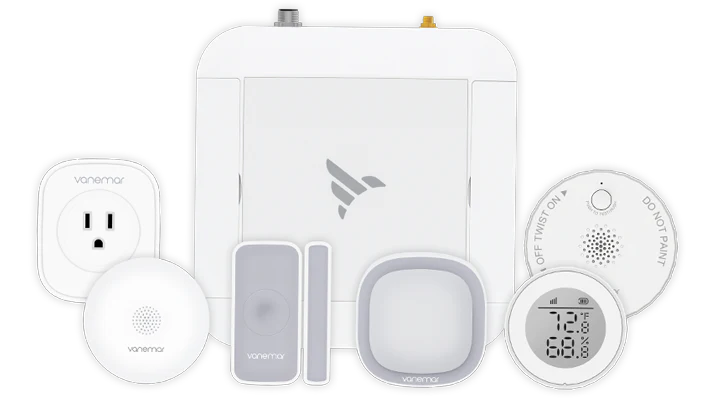
With a tagline of “Total boat security in just minutes” it shouldn’t come as a surprise that Vanemar emphasizes installation ease. The system is totally wireless beyond power and GPS. There is no optional harness for physical connections, just a line of wireless sensors that pair with the hub.
The hub retails standalone for $550, in the basic bundle with a hub, water sensor, entry sensor, motion sensor, and temperature sensor for $749, or in the extended bundle which adds a shore power sensor and smoke alarm for $899. Sensors can also be purchased individually for $79 to $139. Compared to the a-la-carte cost of the components, the bundles offer significant savings.
The hub has a built-in LTE radio as well as the ability to connect to an existing boat WiFi network. Off boat monitoring and alerting — the primary benefit of any boat monitoring sytem — requires an active subscription. There are just two options for monitoring; monthly and annual plans. In the U.S., monthly is $18 a month and a year’s monitoring costs $179.
Installation
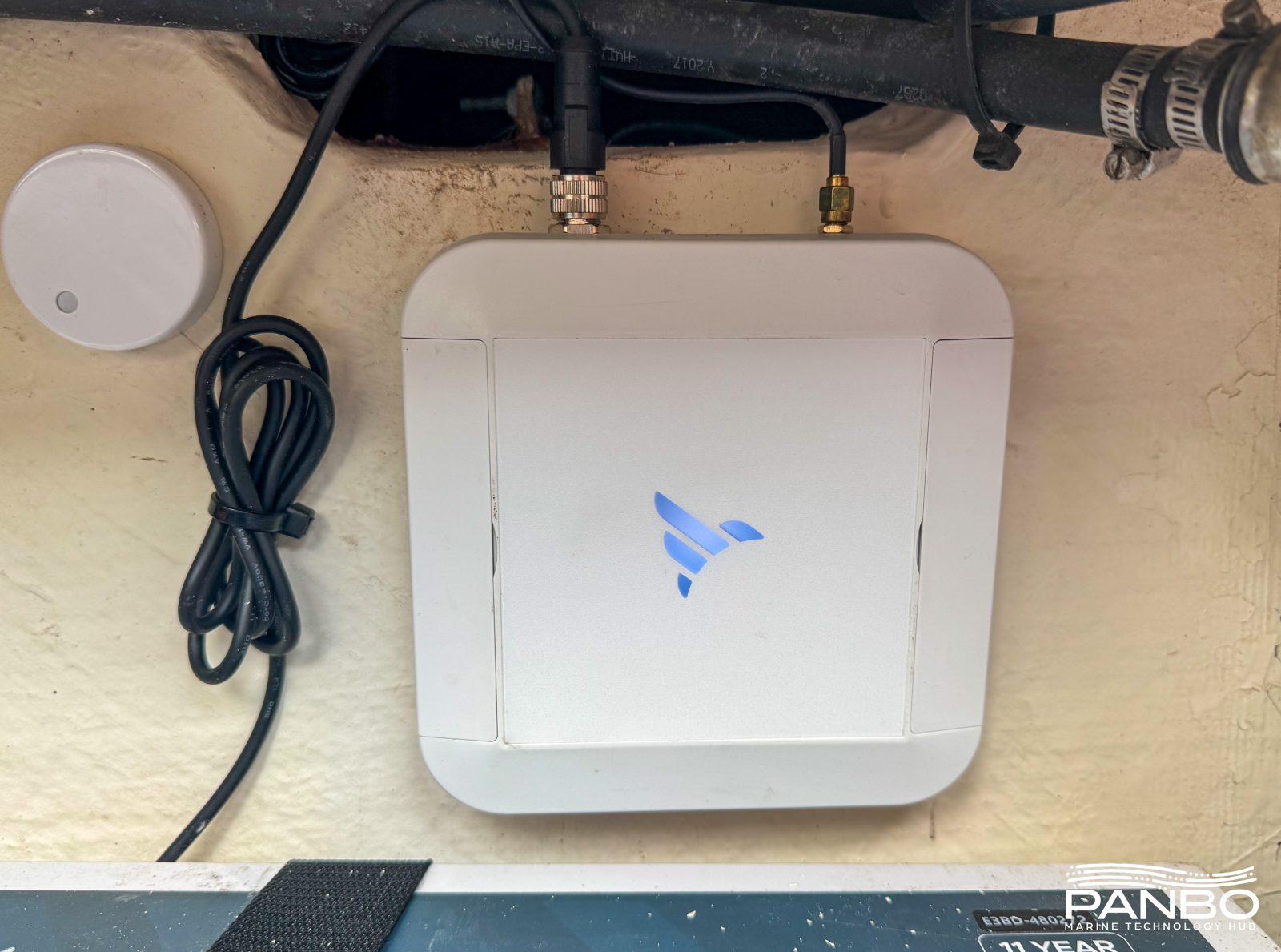
Installation is pretty darn straightforward. Mount the hub, connect to power, connect the GPS antenna and mount it sees the sky, and download the app. From there, you complete the rest of the installation in the app including registering the hub, pairing sensors, and activating monitoring.
The hub can be mounted using the included hook-and-loop adhesive or mounting screws. I attempted to use the hook and loop adhesive, but the hub fell off the wall after a few days, despite cleaning the mounting location with acetone before adhering. No worries, #8 stainless screws have held the hub in place nicely.
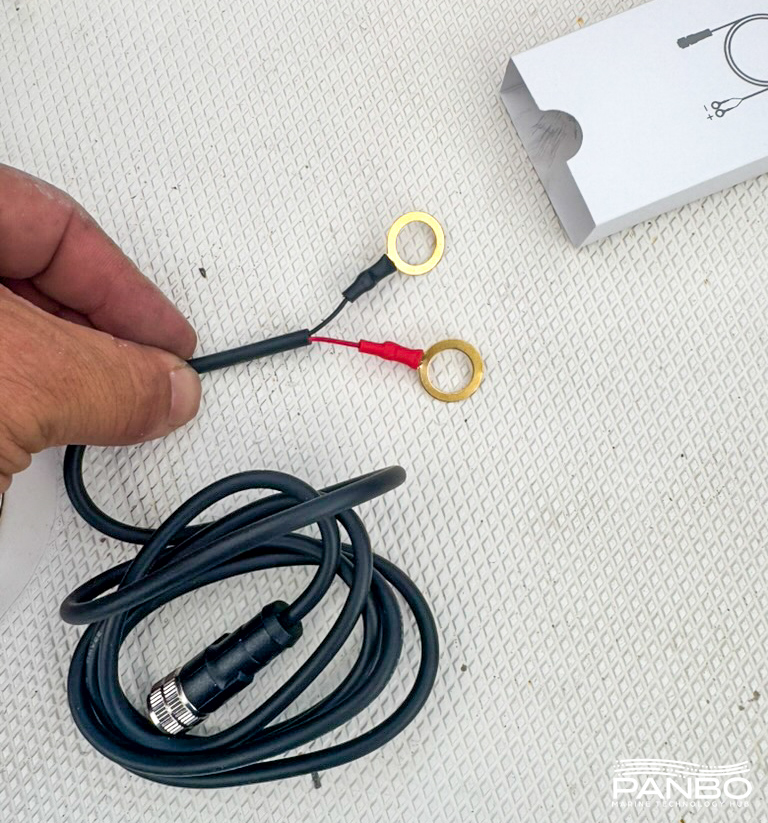
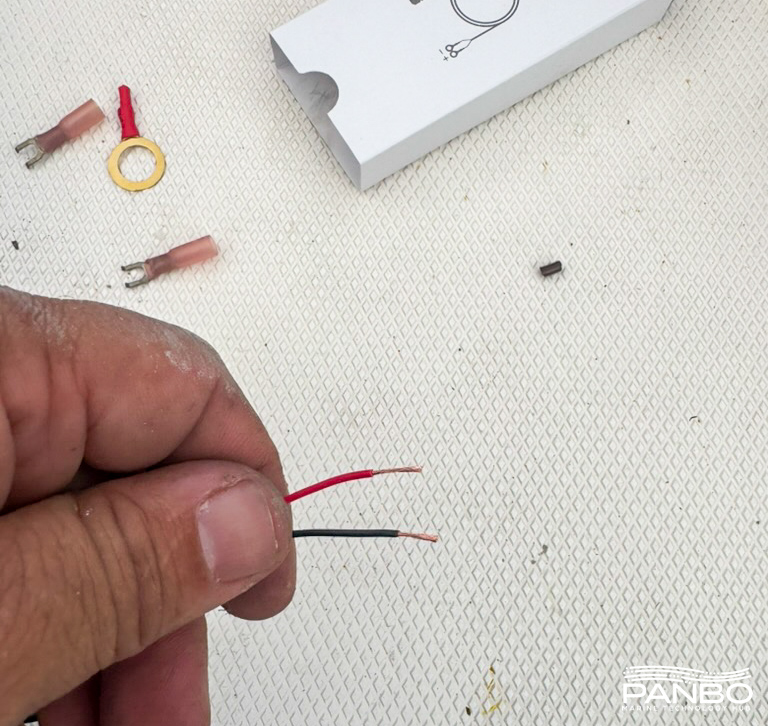
Connecting the power, I encountered my first small complaint. The power connector includes two nicely sized ring terminals. Unfortunately, they’re on very short leads.With less than inch long wires, these won’t make it in many mounting locations, mine included. So, I cut off the rings, stripped the wire back further, and crimped on flanged fork terminals.
Wireless sensors
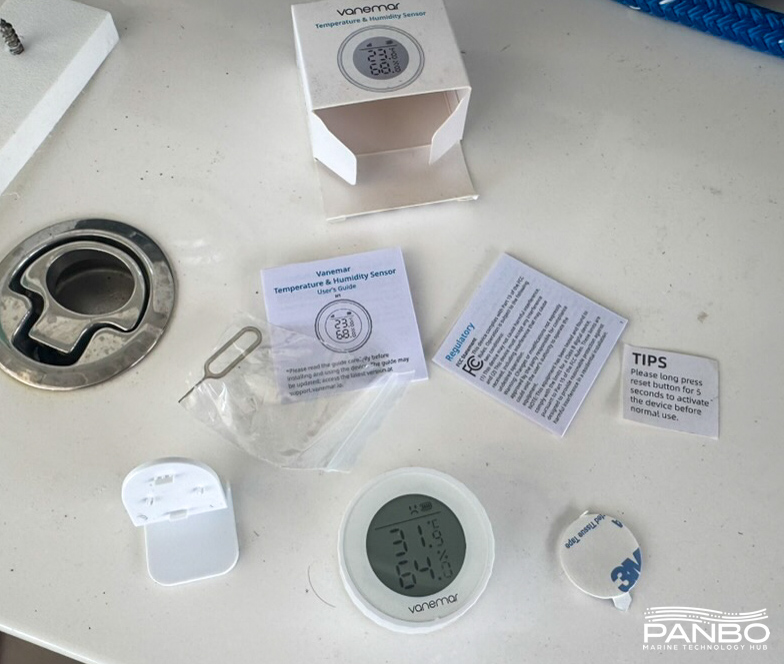
With the hub in place, pairing sensors proved a snap. Each sensor includes double sided tape for mounting, a pin for pressing the reset button, and a small instruction sheet. The temperature and humidity sensor pictured above also included a small stand. I chose to mount it via the adhesive. The sensors communicate with the hub via ZigBee. Zigbee is a mesh protocol, so each additional sensor extends the reach of the network and helps ensure reliable communications.
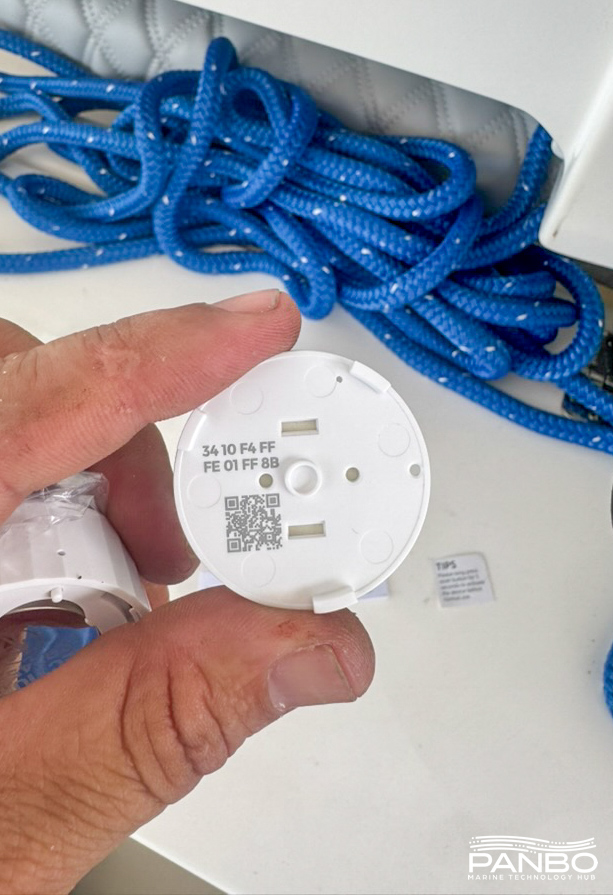
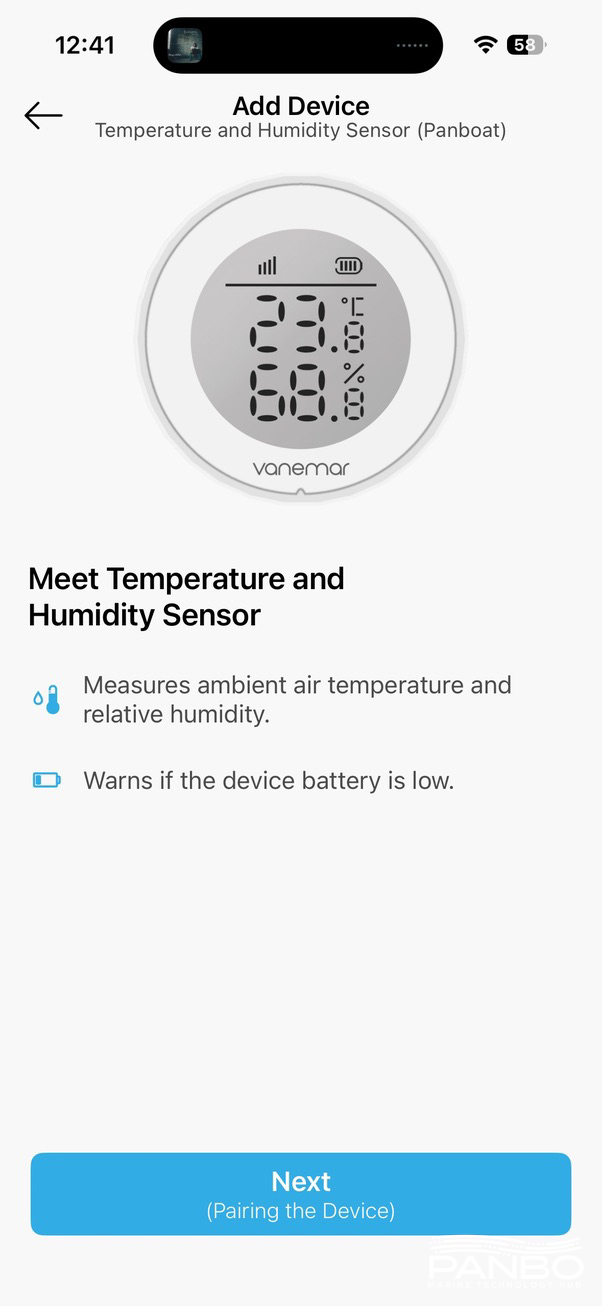
Adding the sensors to the hub requires scanning the sensor’s QR-code with your phone’s camera. Once the hub was mounted, adding all the sensors took less than 20 minutes. I think I spent more time unboxing them and finding the QR codes than anything else.
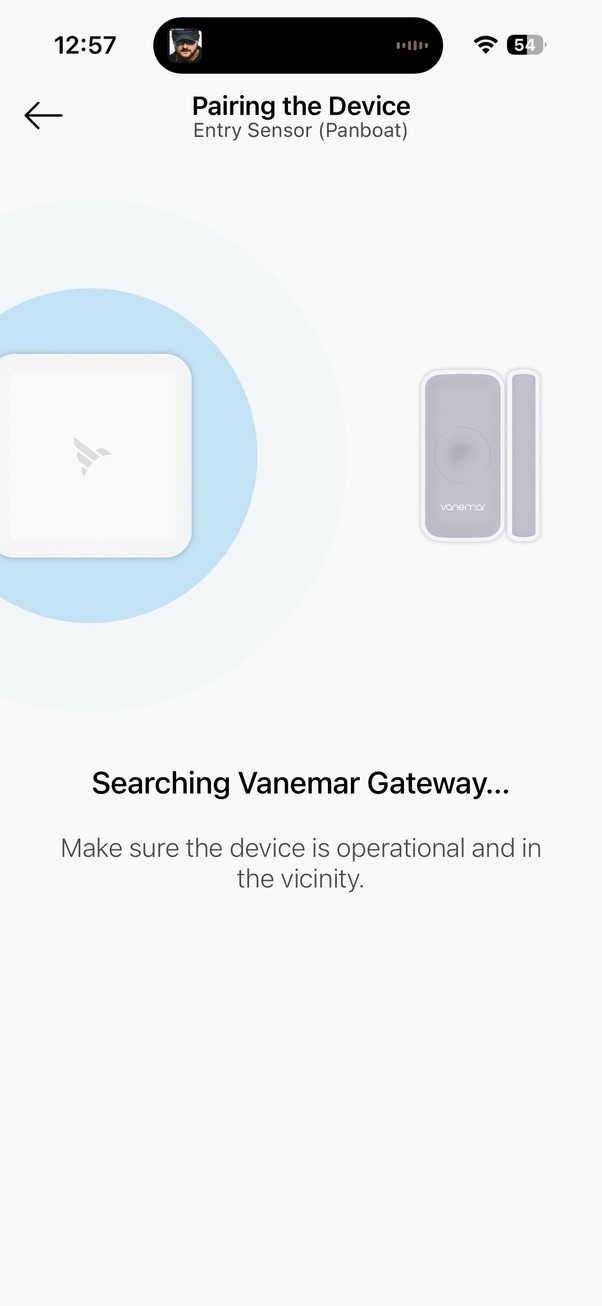
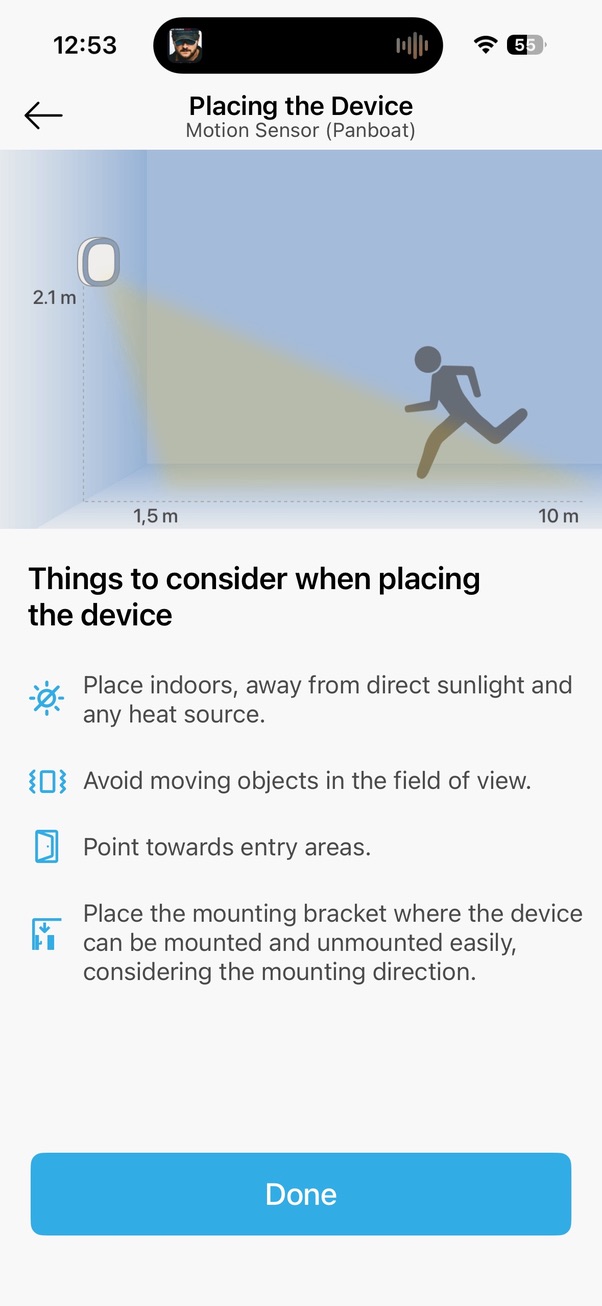
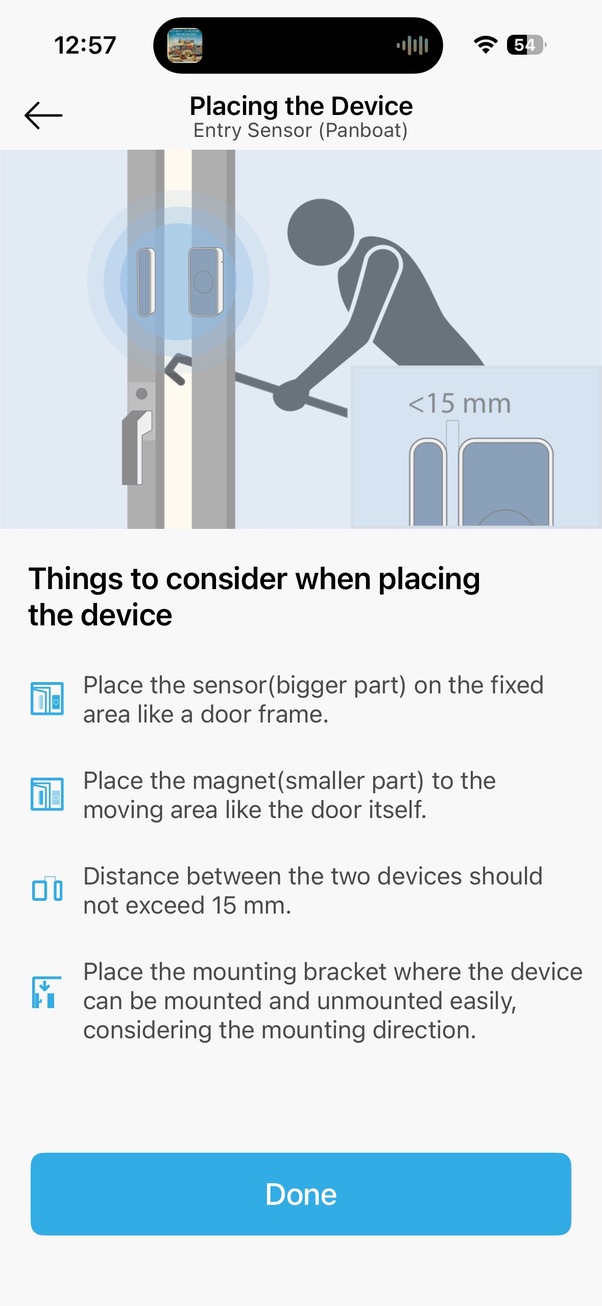
As you add sensors, the app provides tips on mounting the sensors and ideal placement. Overall, I found the process trouble free and easy.
NMEA 2000 adapter
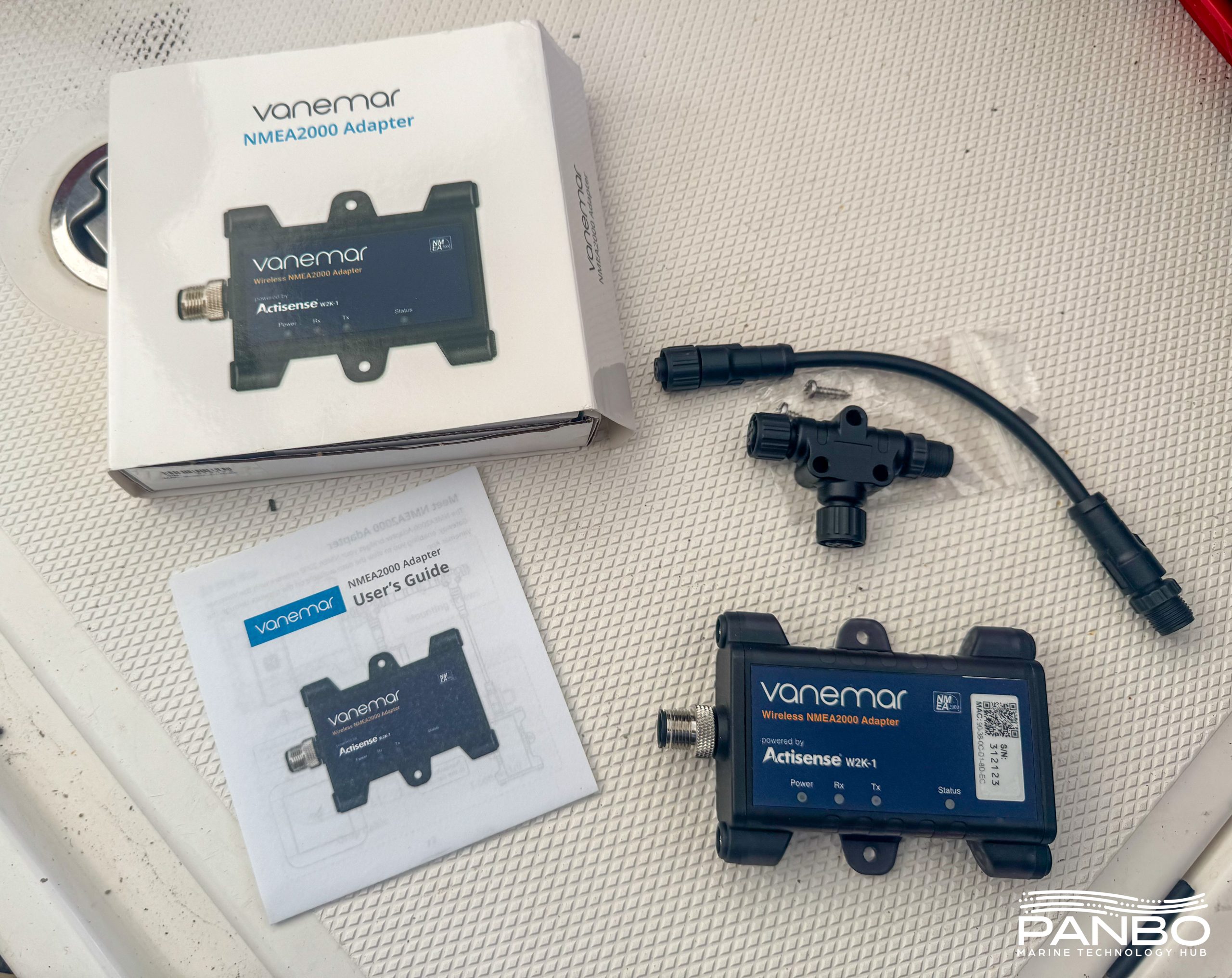
To access the NMEA 2000 network, Vanemar uses a custom branded Actisense W2K-1. THe NMEA 2000 adapter includes a tee connector, short NMEA 2000 cable, and mounting screws. Installation of the NMEA 2000 adapter was no harder than any other sensor in Vanemar’s collection.
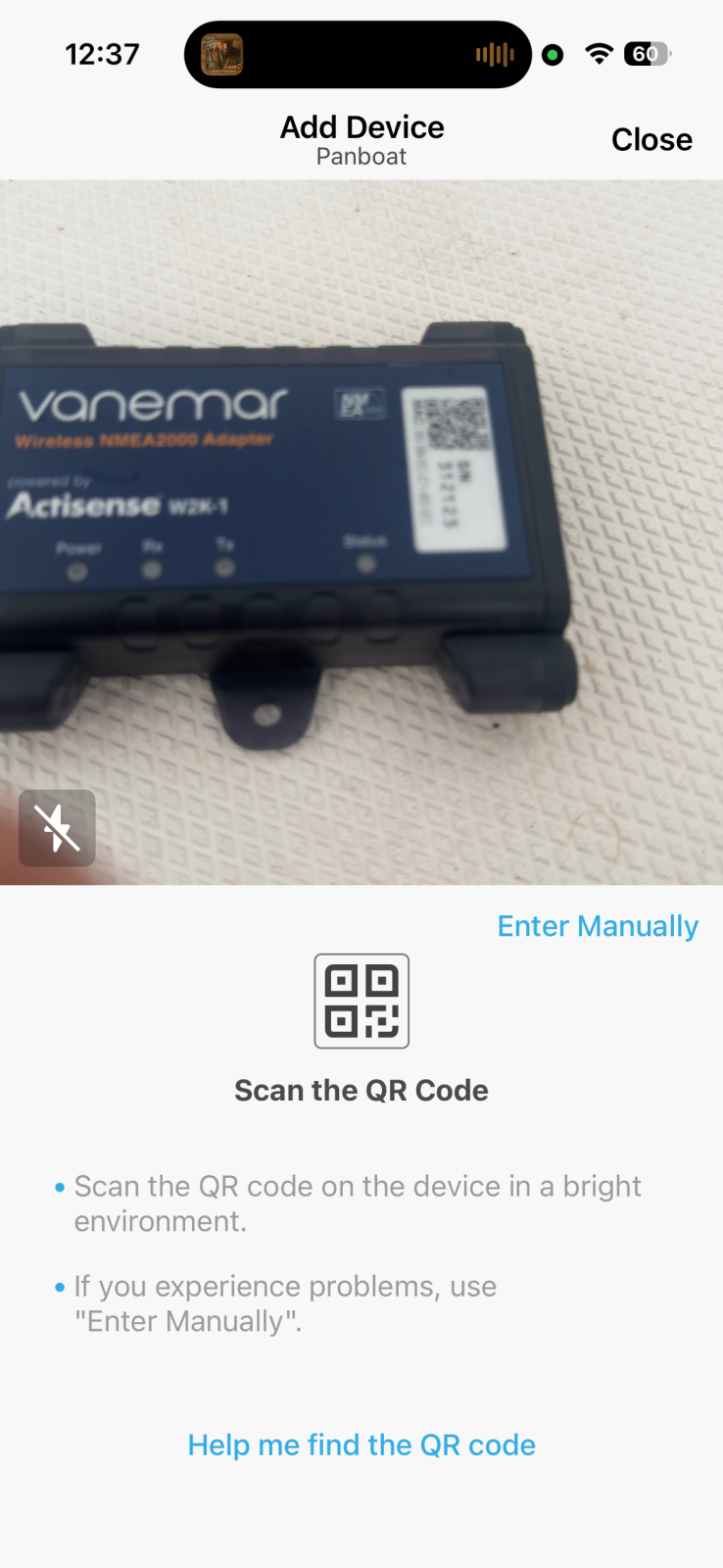
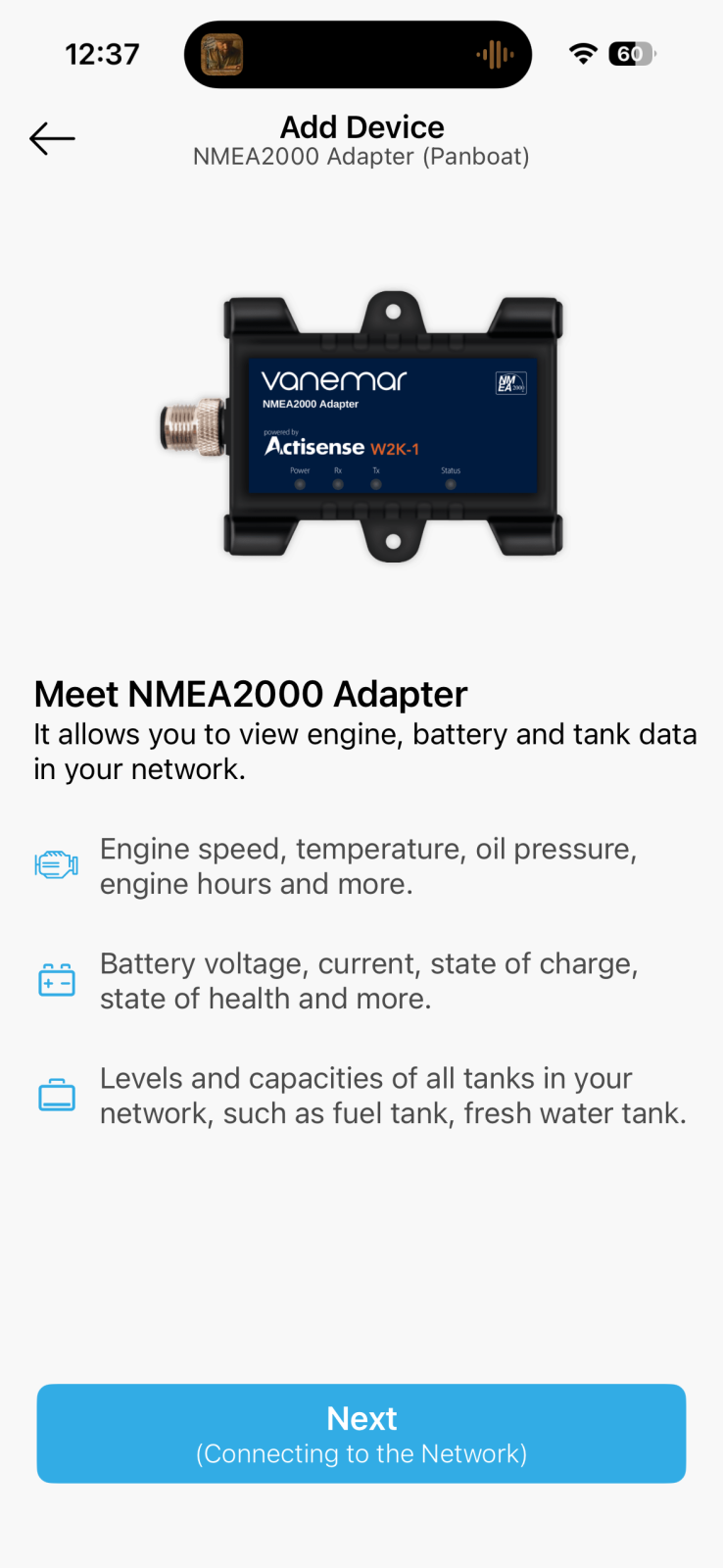
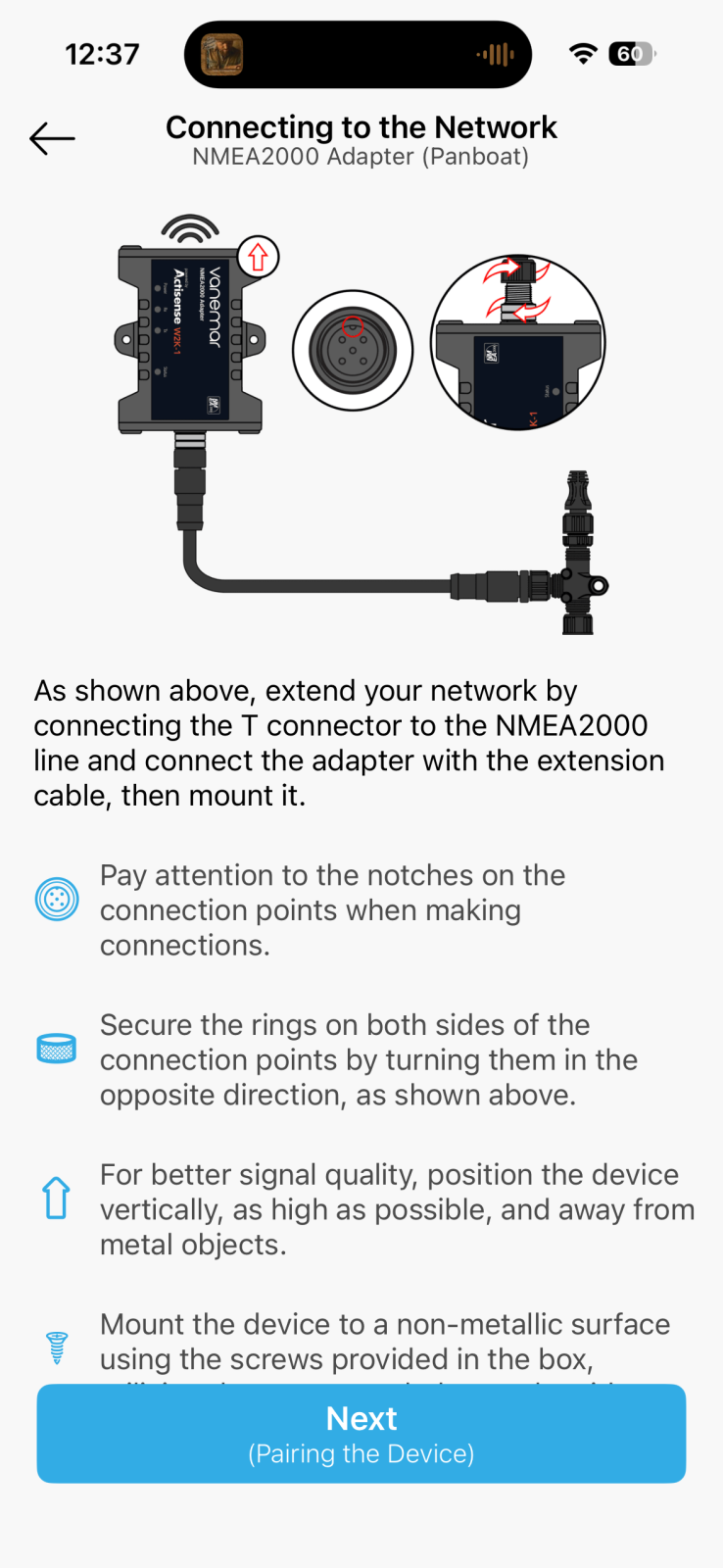
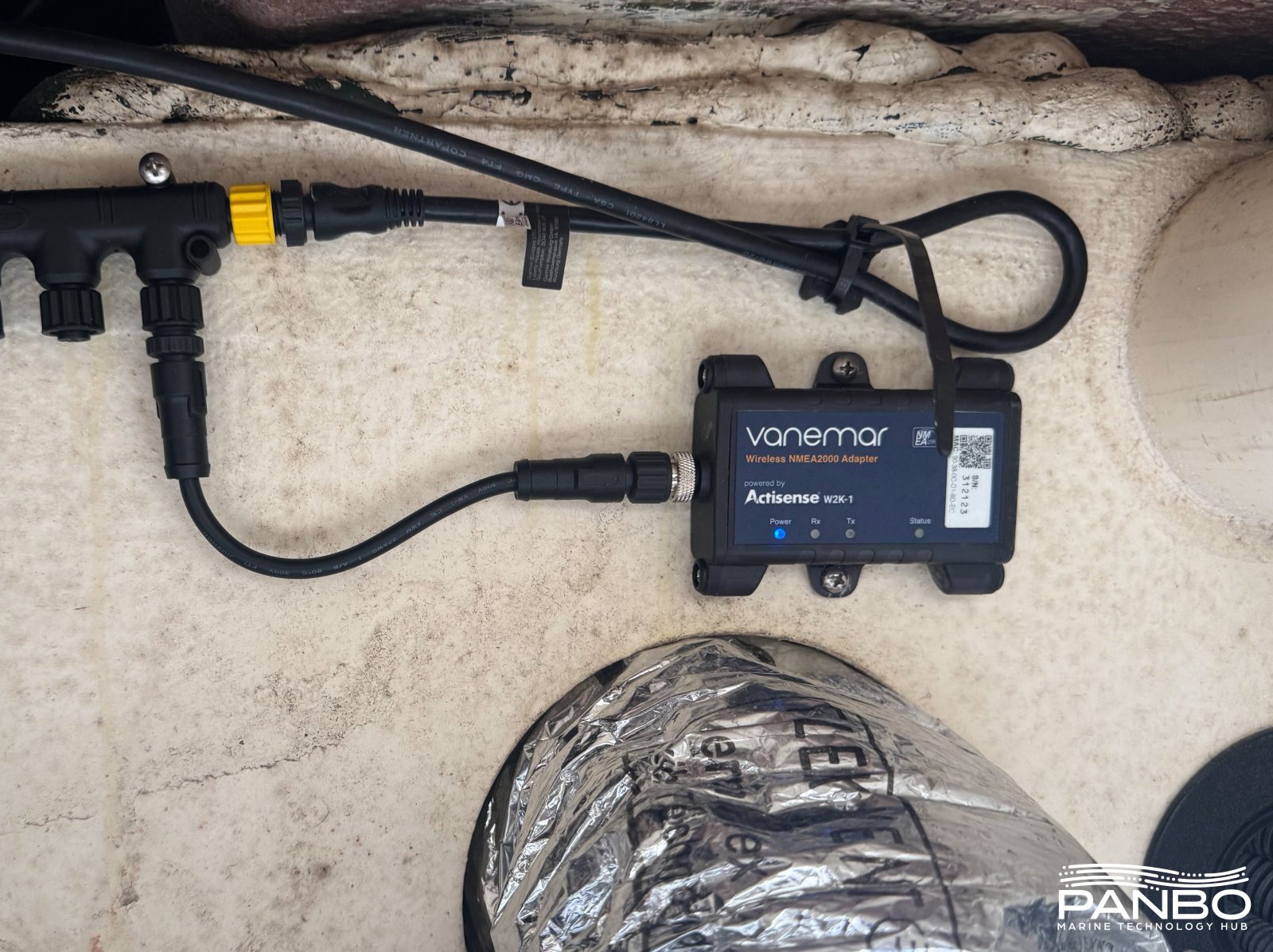
Once again, scanning the QR code paired the adapter and brought up contextual help on connecting and placing the device. Once the adapter is connected, NMEA 2000 devices populate in the app. With the devices in the app, you can set alerts on them just like other sensors.
Using Vanemar
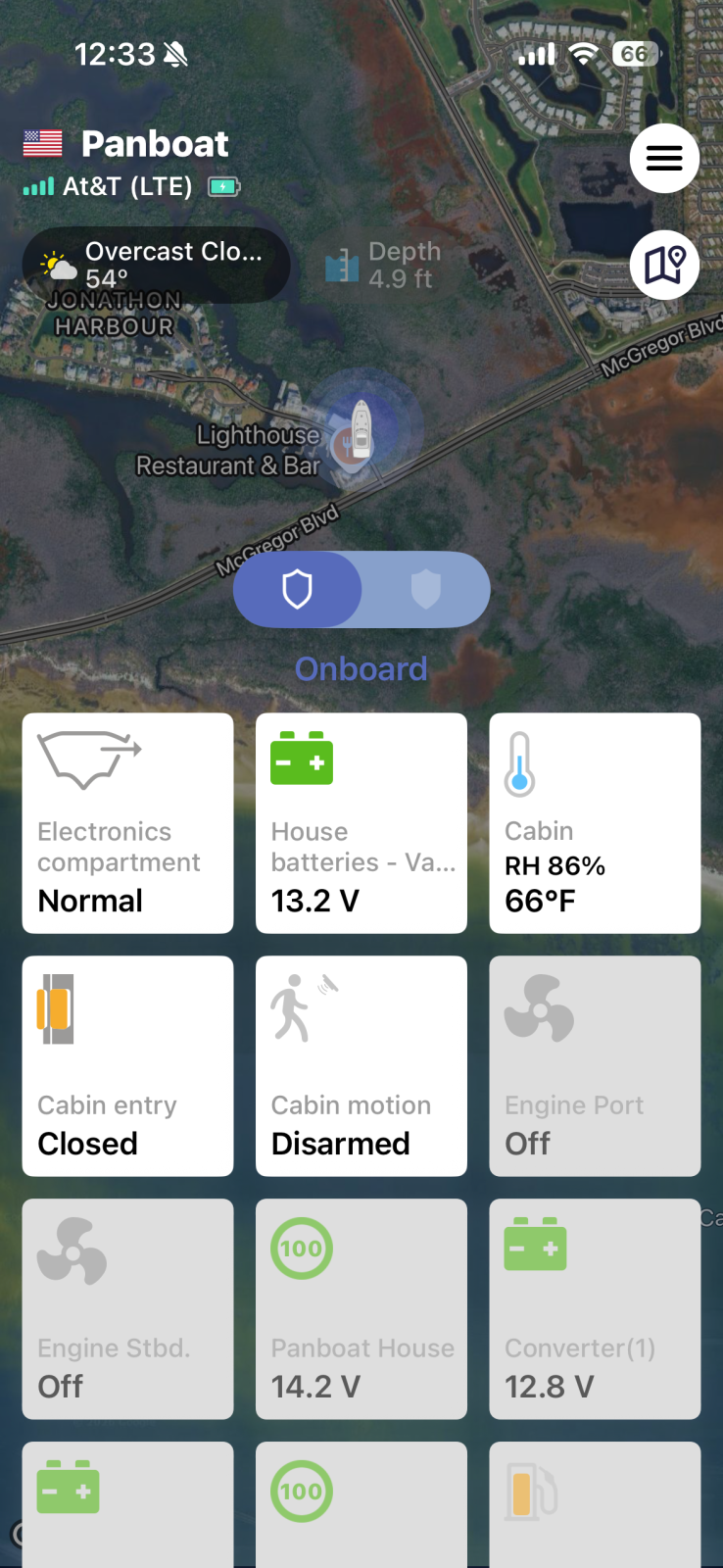
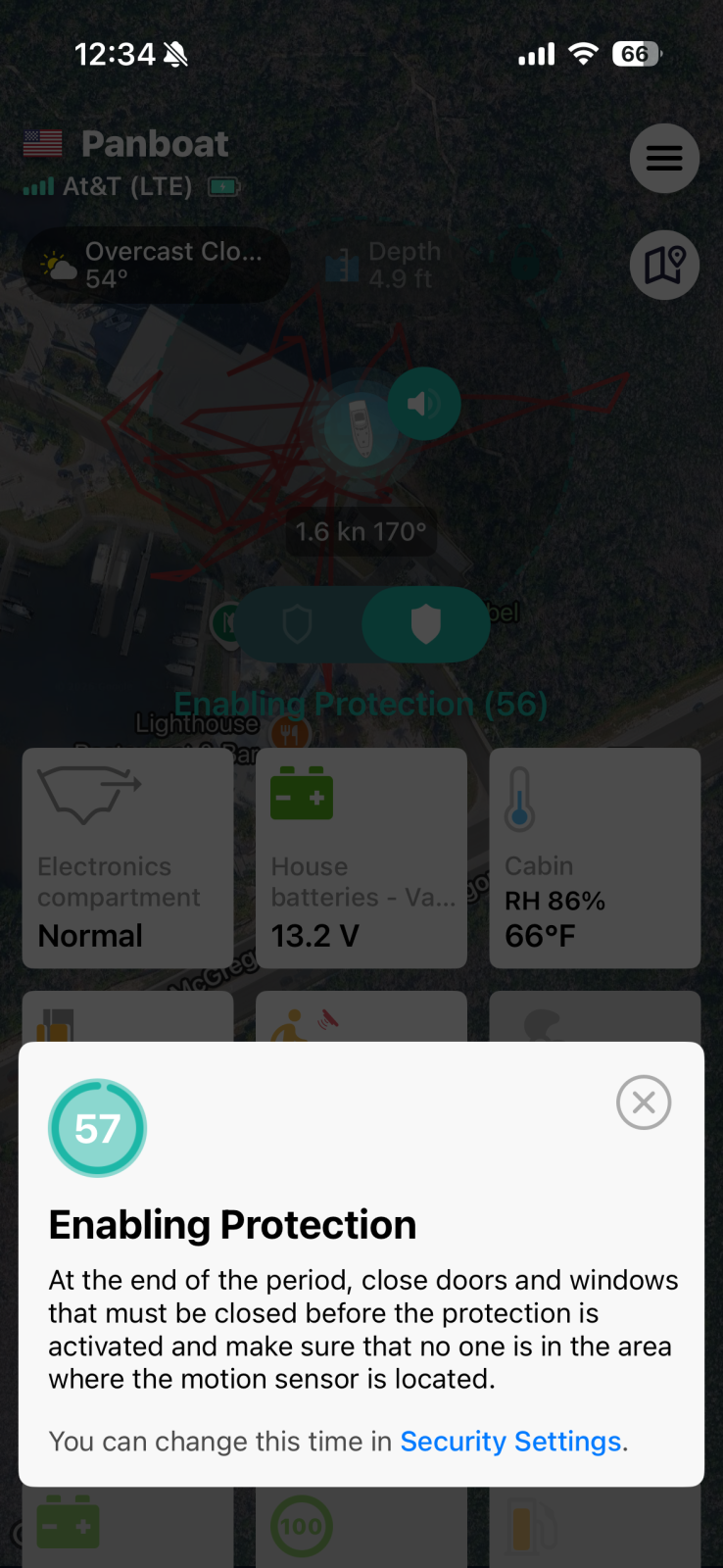
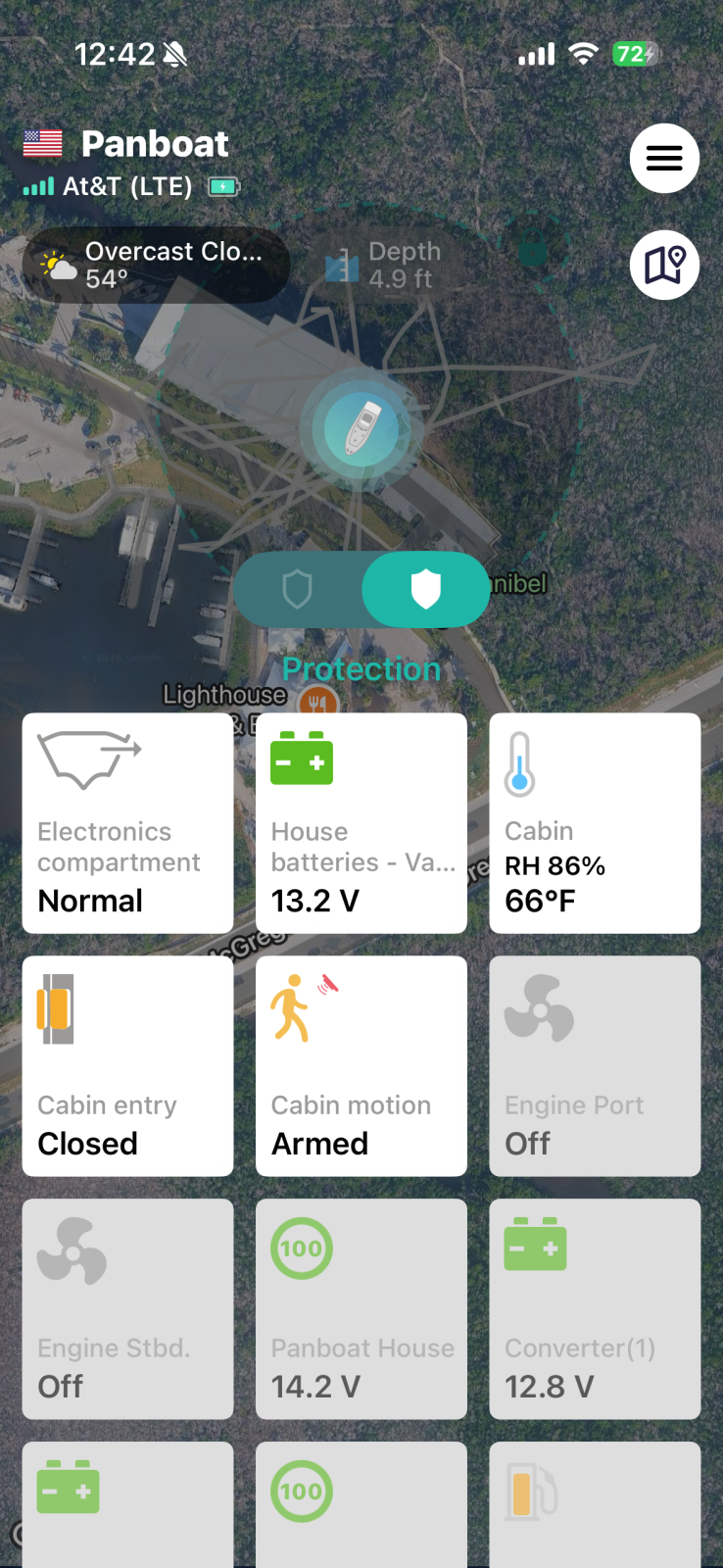
Like most monitoring systems, the Vanemar app is the primary interface to the system. Unlike most other monitoring systems, the Vanemar hub, when equipped with the NMEA 2000 gateway, can also raise alarms onto the NMEA 2000 network. So, if a high water alarm, low battery alert, or other sensor triggers an alert while on the boat, that alert shows up on a compatible chart plotter. More on that in a minute.
The system has two basic modes: onboard and protection. Onboard mode enables critical vessel safety sensors like water, battery voltages, and tank levels. Protection mode adds alerting for entry and motion sensors as well as geo-fence violation alerts. I hope Vanemar might consider adding some automation to these modes. I find myself forgetting to both arm and disarm the system regularly. If the system armed when my phone travelled a distance from the boat and disarmed when closer, that certainly simplify things.
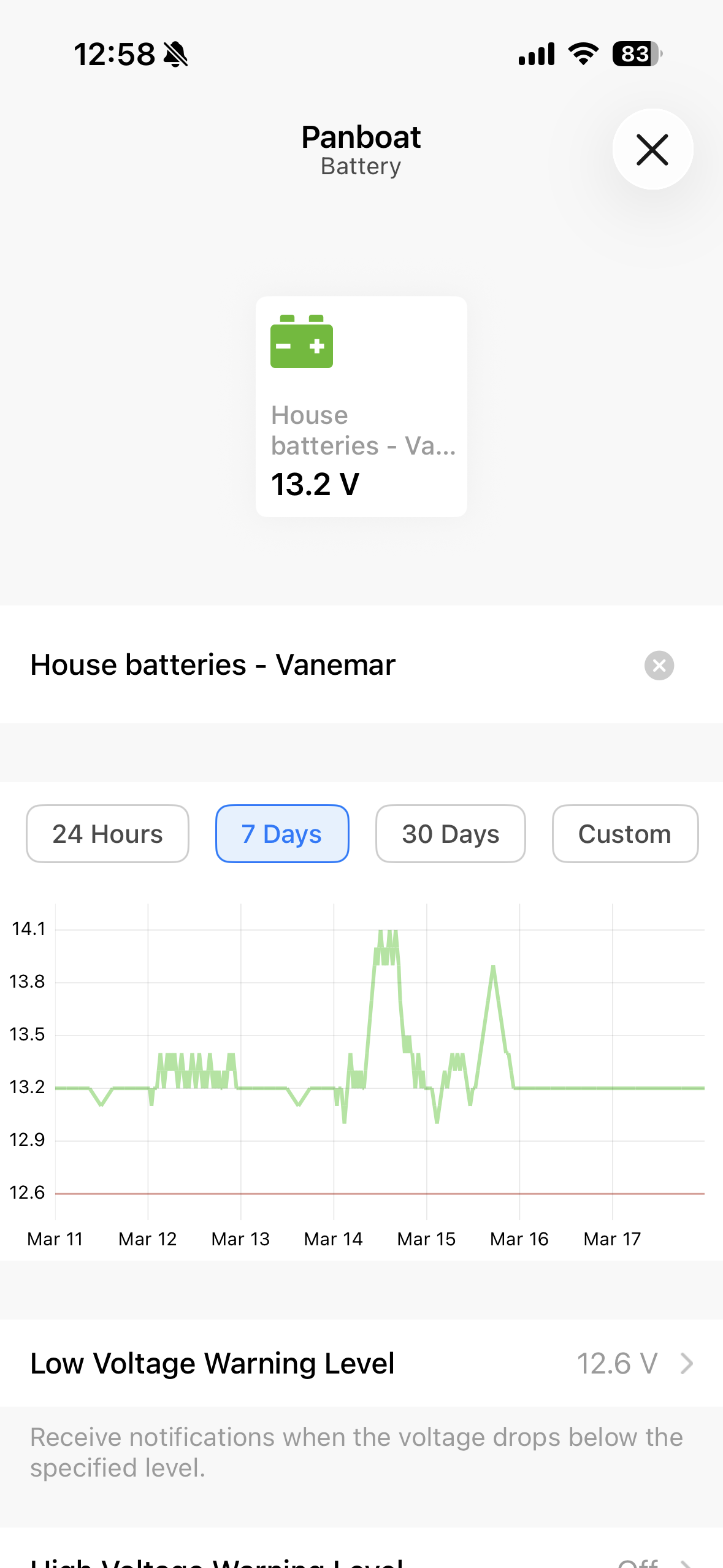
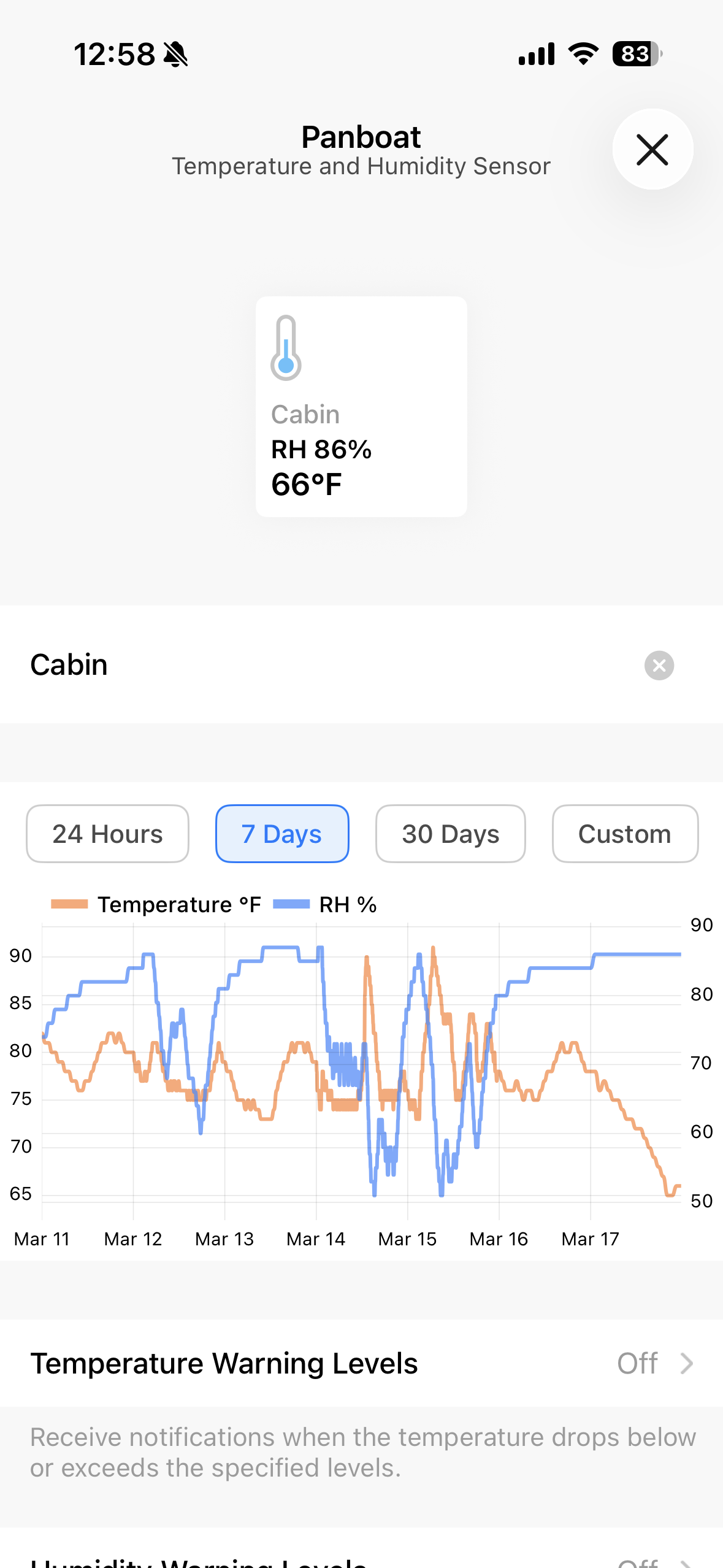
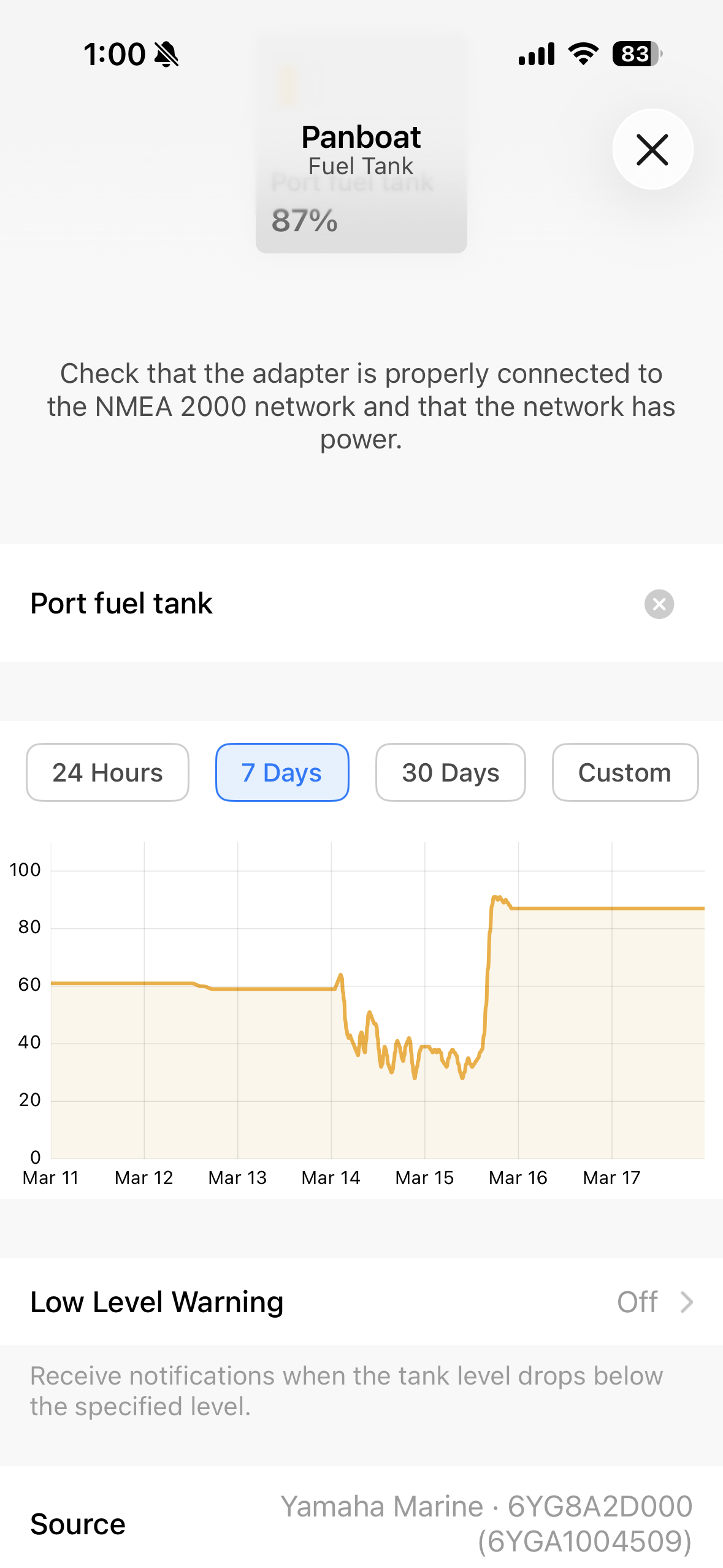
The app allows you to drill into sensor history, see historic charts, and control alerts and thresholds. In my time using the system the alerts have proved reliable though fairly simple. Alert rules are basic and limited to simple boolean value greater than or less than thresholds. They don’t support multiple conditions. For example, I might want to utilize a shore power sensor and change the battery voltage alerts based on whether the boat has shore power or not. Currently, those sorts of chained alerts aren’t possible.
Alerts
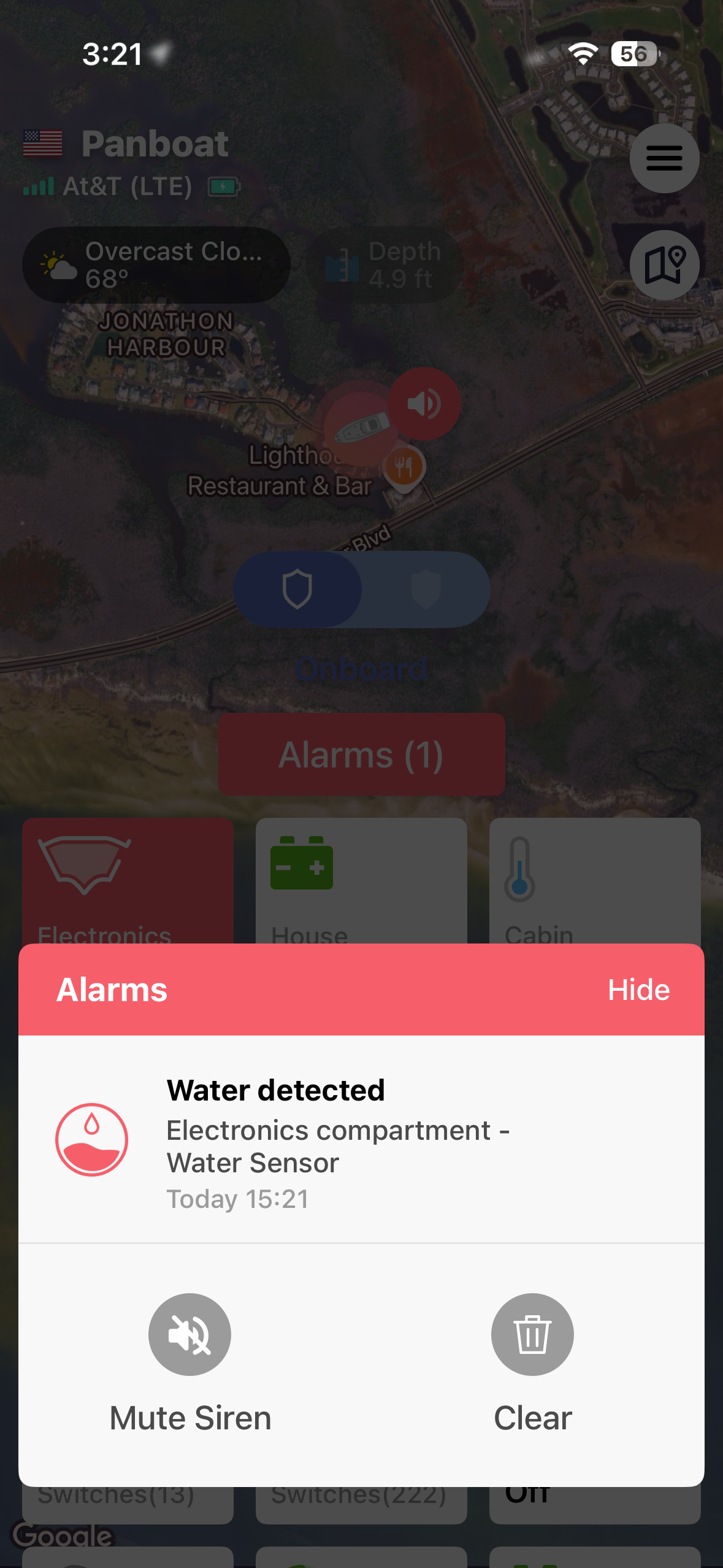
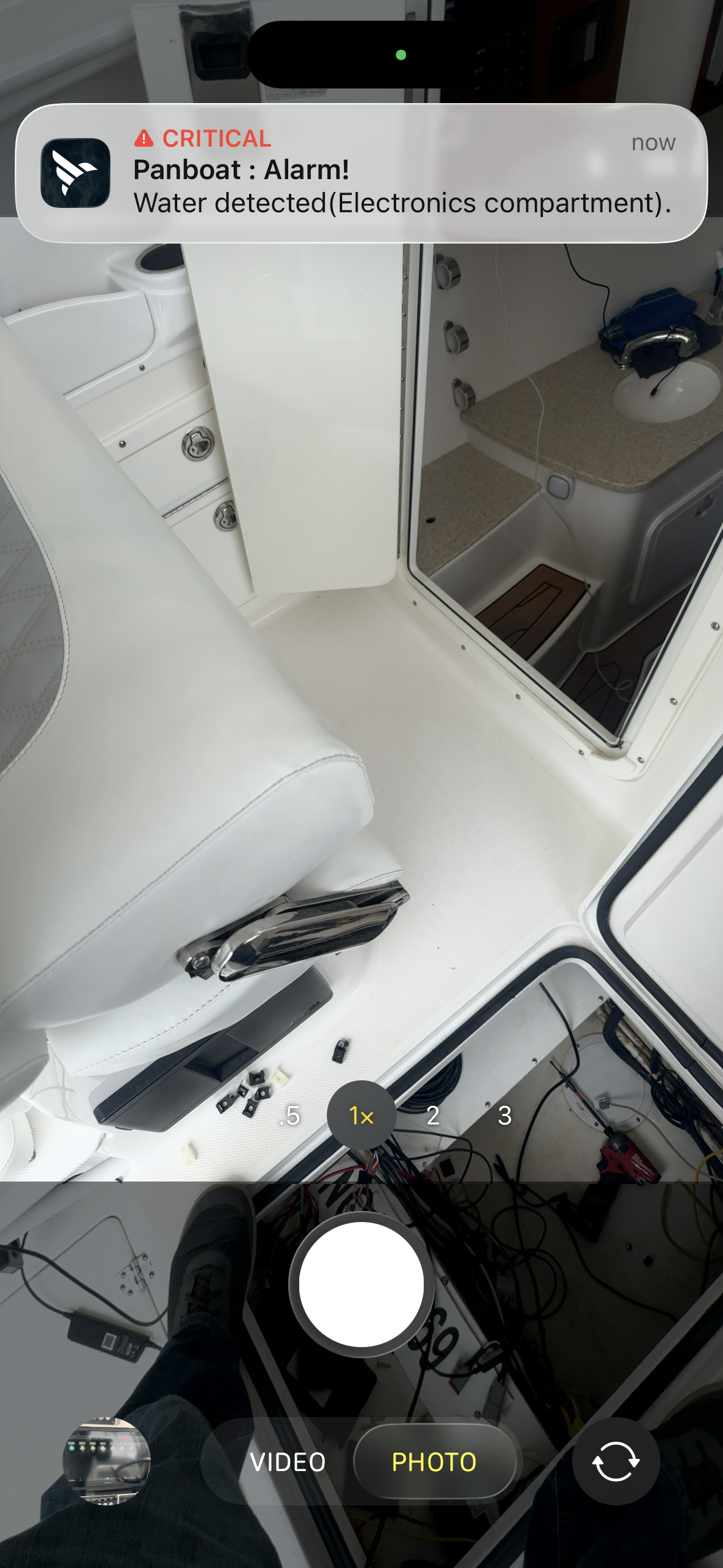
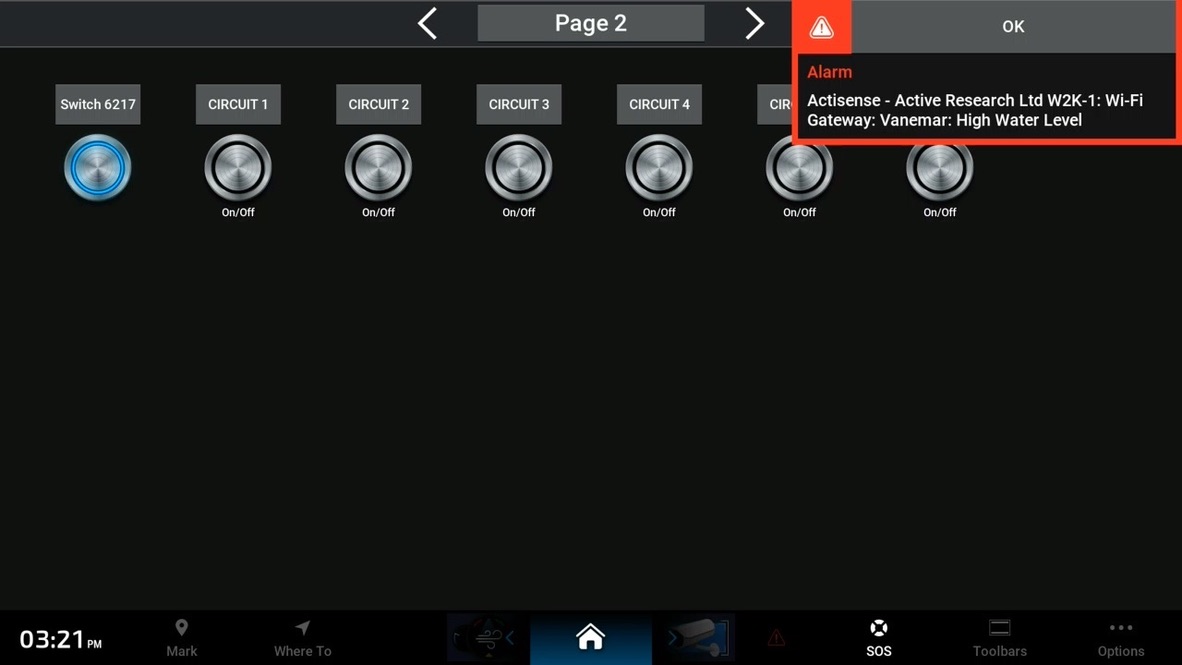
If there is an alert, Vanemar is going to make sure you receive it. If you’re in the app, the alert pops up in the app, if you’re on your phone, it displays as a banner, and if you’re on the boat, it is transmitted as a NMEA 2000 alert. Critical alerts also push through your phones do not disturb settings. A quick aside, that’s a nice feature if something is wrong with your boat. It’s not as popular if you are testing the system and forget that you left it armed and GPS error from a boat in a metal building wakes your wife at 4:45am!
Location tracking and history
Location history is one of Vanemar’s greatest strengths, but also an opportunity for further refinement. The video above demonstrates the ability to review your boat’s movements by sliding your finger along the red and gray timeline at the bottom of the video. Unfortunately, iOS doesn’t capture my finger movement, so you can’t see me move my finger, but all of the timeline review was performed by dragging across the bottom.
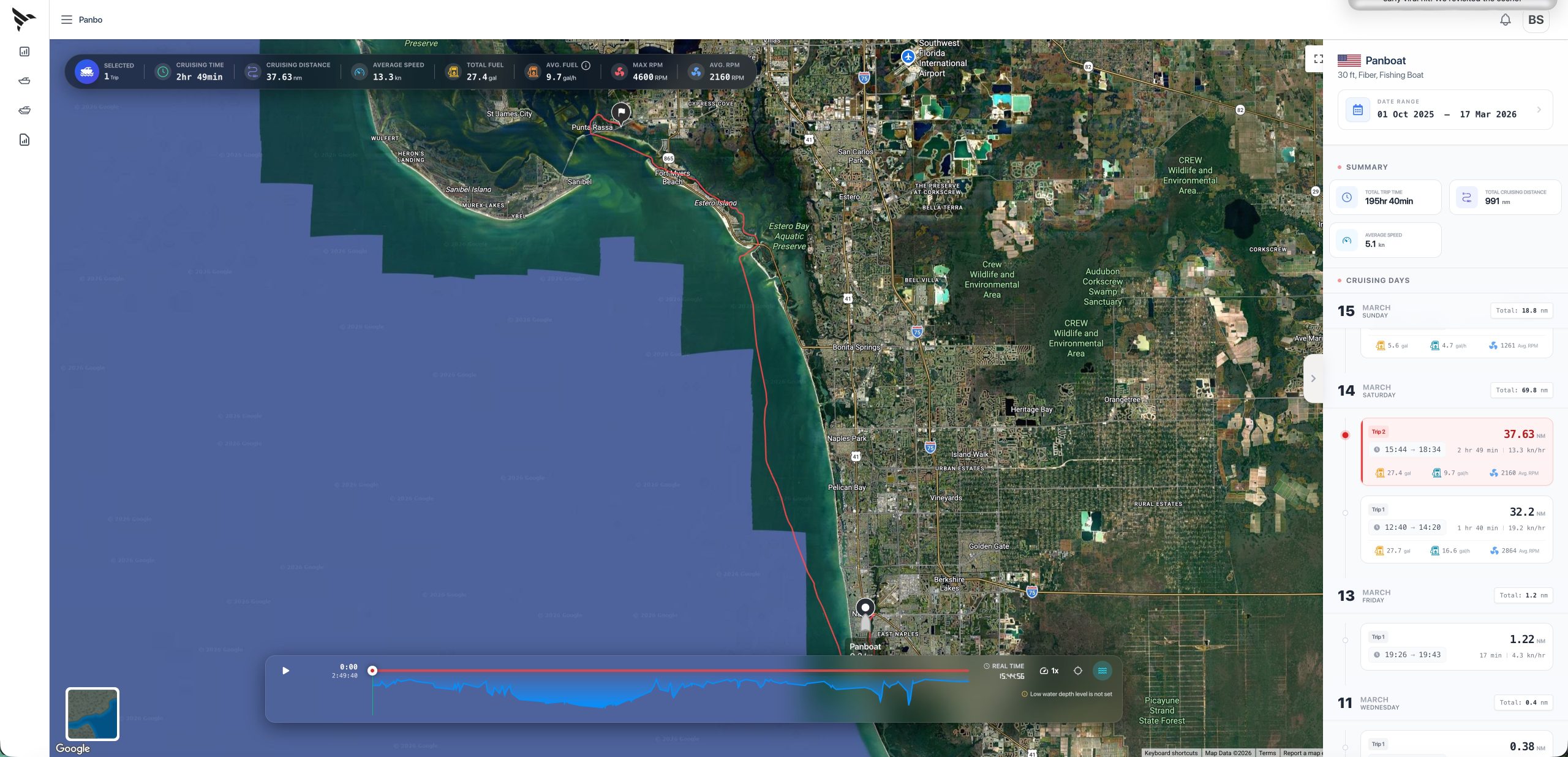
I mentioned location history also offers an opportunity for improvement, right? Well, that opportunity comes in trip tracking and replay. Location history is a purely time based view of where the boat has been in the last, day, week, month, etc. But, often I would rather see my travels by trip. Unfortunately, that view isn’t available in the Vanemar app yet, but it turns out it is available in their (highly impressive) fleet portal.
The fleet portal’s focus is on operators of larger fleets of boats, not individuals like me. Despite the focus, I’m blown away by the information and insight it offers either a fleet operator or single boat owner. That insight includes analysis of operating speeds, engine RPMs, gear, and more. If I was operating a fleet of assistance tow boats or rental boats, I would absolutely want that level of insight.
But, for my use, I was most focused on trip detection and replay. Similar to the location history, the transport controls across the bottom of the screen allow you to drag through a trip. Plus, the blue area below the timeline shows depth during the voyage. Everything I was hoping might be included in trip logging is there, and a lot more, so I’m hopeful Vanemar will port that over to the consumer side soon.
Digital switching
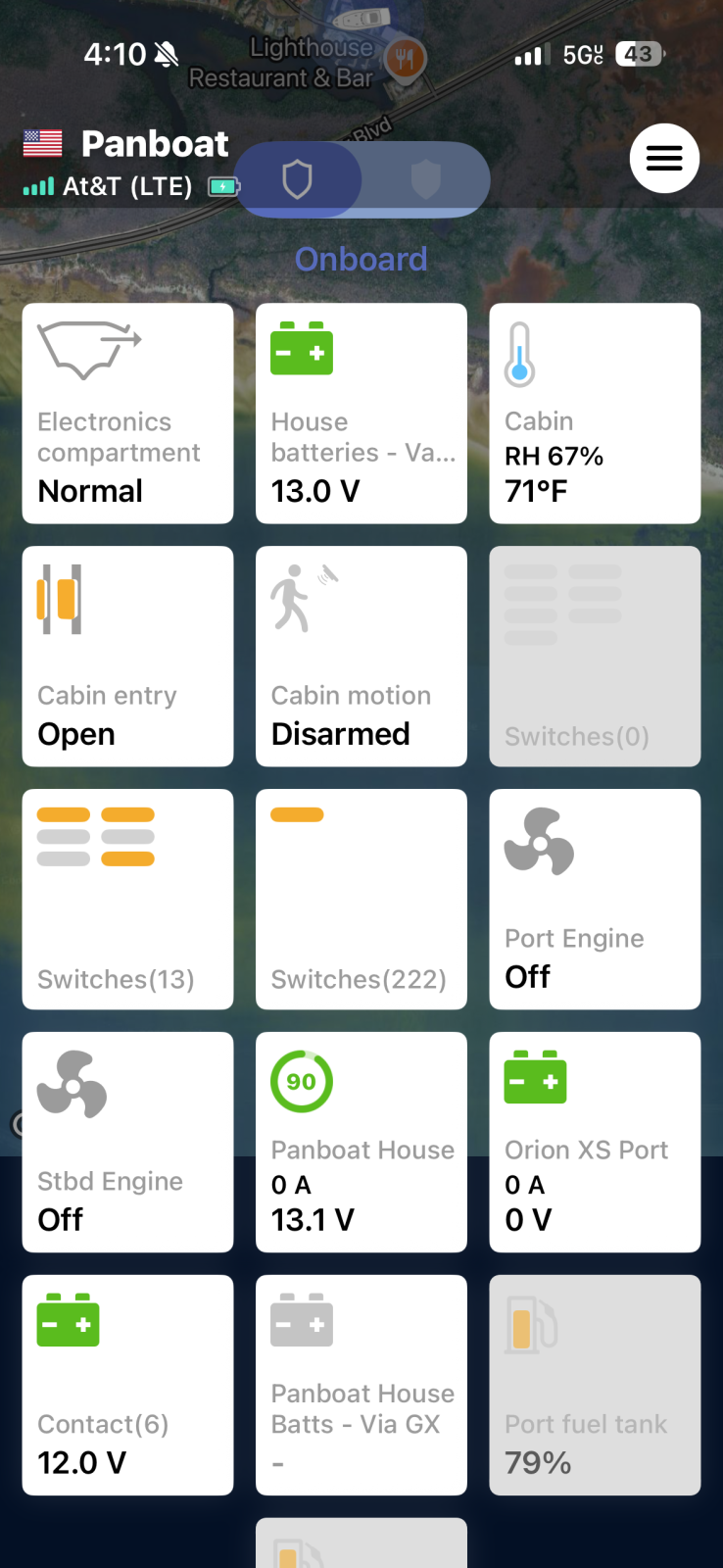
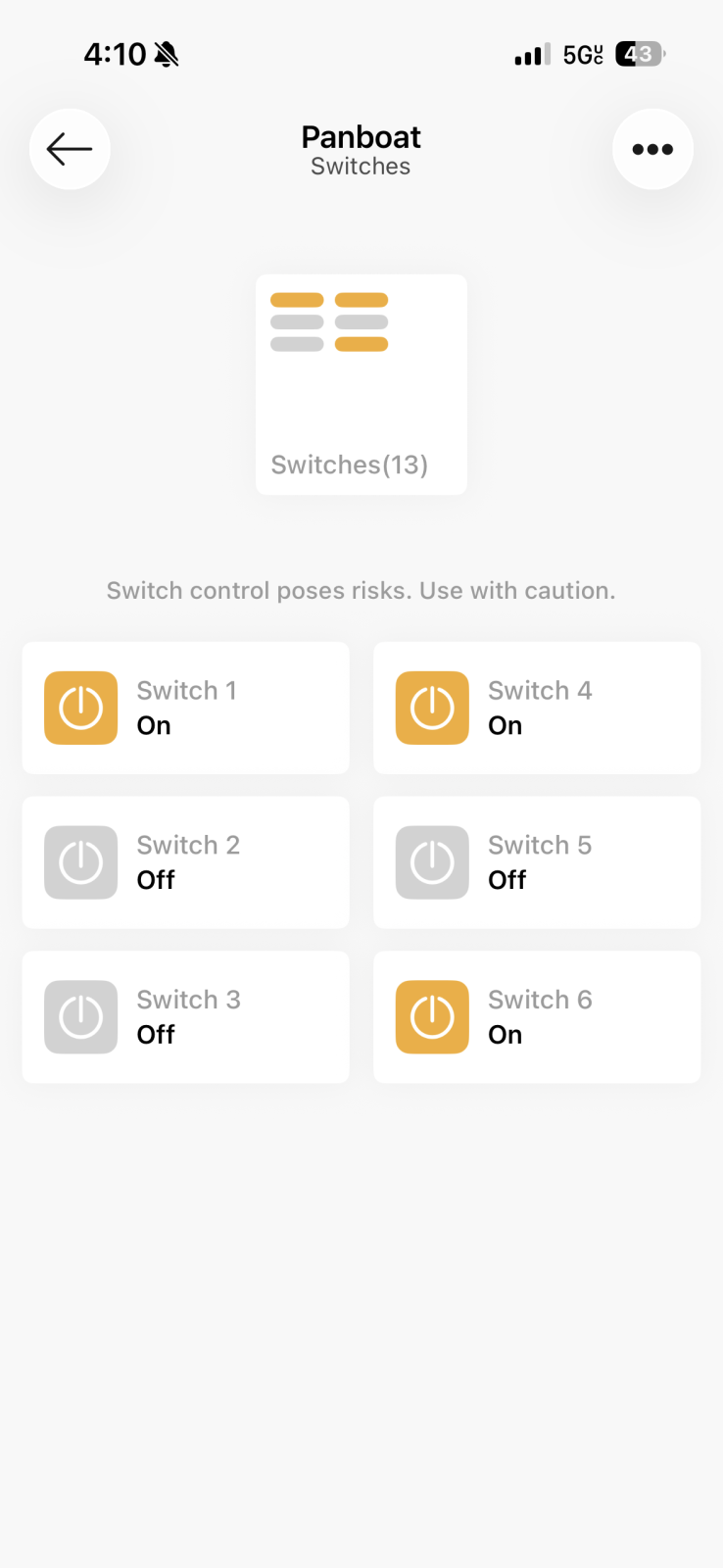
Vanemar’s NMEA 2000 support includes digital switching support. I quickly installed a CZone Contact 6 to test the integration. Once connected and sending switching PGNs, the hub detected the switching and showed status and control options. It doesn’t appear that switch names configured in the CZone config are carried through to the app.
The missing link
Overall, I really like Vanemar’s system. The wireless sensors just work, the app is intuitive and easy to use, and despite a few small quibbles, the alerting system is reliable and easy to use. However, there is one thing holding back a full throated recommendation of the system. That thing is bilge pump monitoring. Currently, Vanemar doesn’t have the ability to monitor a bilge pump at all. Their water sensors can be used for high water monitoring. Unfortunately, I think that’s too late. I want to know when the pump is activating, not when it’s been overwhelmed and now the water has risen.
In writing this review, I started thinking about Digital Yacht’s Bilge IQ. Bilge IQ monitors connected bilge pumps and sends NMEA 2000 PGNs in response to bilge activity. If Vanemar monitored that activity, they could cover bilge pumps without any new hardware. The only cavaet would be the need to keep the NMEA 2000 network powered, but that could be limited to a small portion of the network with power isolators.
Final thoughts
Vanemar has a really nice boat monitor on their hands with the need for a few tweaks and improvements. The data and insights in the fleet portal give me great confidence they can deliver on those needs. I look forward to those improvements and think boaters can gain a lot from them. However, they really need to add bilge pump monitoring in some form. To my eye, it’s table stakes for a boat monitoring system.




The lack of bilge pump monitoring certainly does fall into the “what were they thinking” category. It’s probably easy to implement so I have to assume there will be a sensor for that. However, the absence of any provision for hard wired sensors is a weakness especially for a bilge pump and high water. Those are so critical that they should not depend on a wireless sensor battery.
Another issue is being able to switch power to the NMEA2000 backbone. It would seem it has to be left on all the time. With the Siren system I have had for years now, there is a hardwired relay to which a signal can be sent to switch power on and off to the NMEA 2000 network as needed.
Forgot to add that I use a Digital Yacht Njordlink in combination with the Siren relay. I can turn on the NME2000 devices and check the wind speed and other weather conditions at the boat via Njordlink from the comfort of my house.